


Roku Smart Home
4.58.22K Reviews
App Specs
- Version
- 3.7.0.590
- Updated On
- License
- Free
- Downloads
- 1,000,000+
- Developer
- Roku, Inc. & its affiliates
- Categories
- House & Home
- Platform
- Android, iOS
Screenshots
 Analysis by AppCompare
If you’re on the hunt for a smart home experience that’s as easy to use as it is effective, then you might want to check out the Roku Smart Home app. I’ve had some time to tinker around with it, and let me tell you, it’s packed with features that make managing your smart devices a breeze.
Getting Started with Roku Smart Home
First things first, setting up the Roku Smart Home app is a piece of cake. I downloaded it straight from the app store, and in just a few clicks, I was ready to roll. The interface is clean and intuitive, which is great if you’re like me and prefer things that just work without a fuss. They’ve really nailed the user experience, making it super simple to connect all your devices.
Features that Stand Out
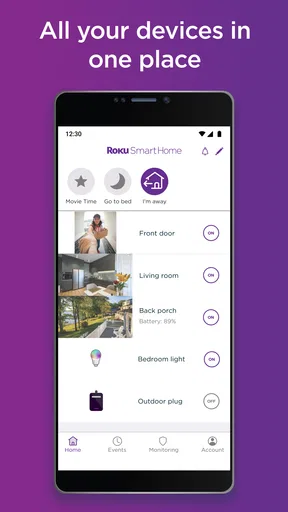
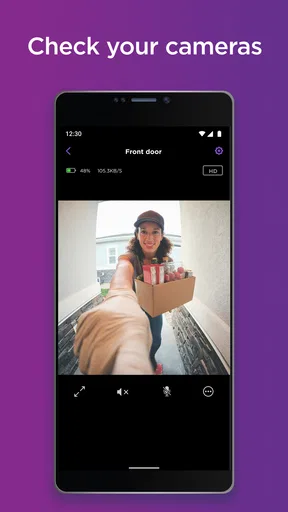
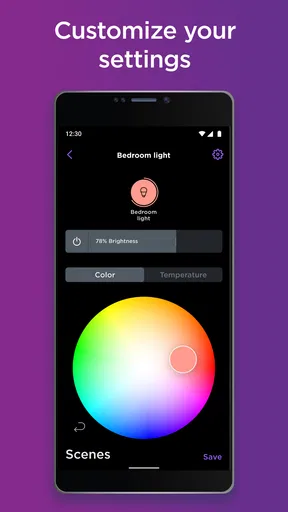
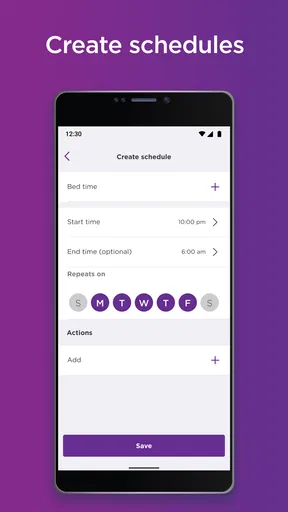
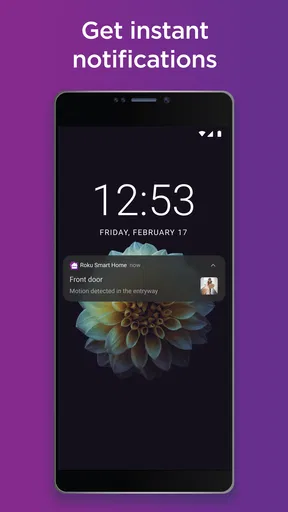
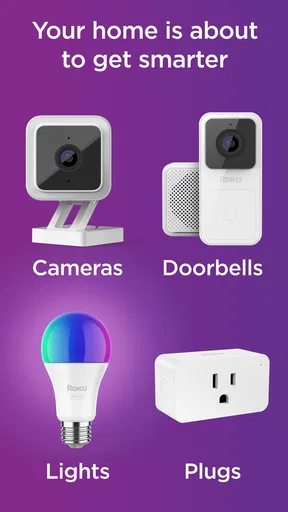
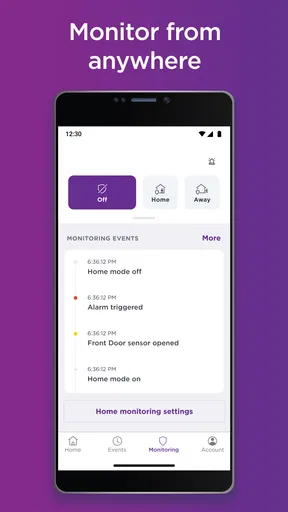
One of the standout features is its compatibility with a wide range of devices. Whether you’ve got lights, cameras, or even thermostats, this app supports them all. It’s like having a universal remote for your home. Plus, the automation options are top-notch. You can set schedules for your lights or have your camera send alerts when it detects motion. It’s all about making life easier.
Another cool feature is the integration with voice assistants. I tried linking it with my smart speaker, and it was seamless. Now, I can control my devices with just my voice, which feels like living in the future. The app also supports multiple users, so everyone in the family can have their own profile and settings.
Navigation and Usability
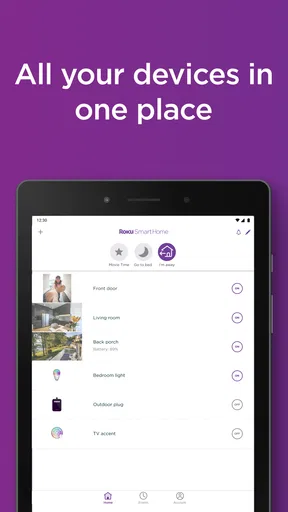
As I mentioned earlier, the Roku Smart Home app’s interface is super user-friendly. Everything is laid out logically, so you’re never more than a few taps away from what you need. The dashboard provides a clear overview of your connected devices, and navigating between them is smooth and responsive. I appreciate the attention to detail here; even the settings menus are straightforward and easy to navigate.
Security and Privacy
Security is a big deal these days, and the app doesn’t disappoint in that department. It offers end-to-end encryption to keep your data safe, which gave me peace of mind while using it. The app also provides regular security updates, so you know they’re on top of keeping things secure.
It’s also worth mentioning the privacy controls. The app lets you customize what information it collects, and you can easily manage your preferences in the settings. It’s nice to see an app that gives you control over your data.
Worth Reading Before You Choose

EA SPORTS FC Mobile 26 Is a Bigger Football Game, but It Takes Time

Flipboard Shows What News Apps Must Do Beyond the Feed

Switching to Android Auto Means Rethinking Your Driving Routine

Google Calendar Makes a Crowded Week Easier to Manage

Ludo King Makes the Most of the Minutes Between Plans

Baby Panda World Brings Quick Play to Modern Phones, but Its Game Library Feels Busy
Overall, I’m pretty impressed with the Roku Smart Home app. It’s user-friendly, packed with useful features, and puts a strong emphasis on security. Whether you’re new to smart home tech or a seasoned pro, this app is definitely worth checking out. So, if you’re ready to take your home into the smart age, this app could just be your new best friend. Give it a whirl and see for yourself!
Pros
- Easy setup with intuitive interface.
- Integrates well with other smart devices.
- Affordable pricing for features offered.
- Responsive customer support team.
- Regular updates improve functionality.
Cons
- Limited compatibility with non-Roku devices.
- Occasional connectivity issues reported.
- Some features locked behind paywalls.
- User interface can feel cluttered.
- Voice control lacks advanced options.
FAQs for Roku Smart Home
What features does the Roku Smart Home app offer?
The Roku Smart Home app provides a comprehensive suite of features for controlling smart devices. Users can manage lighting, thermostats, cameras, and more, all from a single interface. The app also supports voice commands and integrates with popular digital assistants, making it a versatile tool for home automation.
Is the Roku Smart Home app compatible with all smart devices?
The Roku Smart Home app is designed to be compatible with a wide range of devices, but it's essential to check if your specific devices are supported. Compatibility typically includes Roku-branded devices and other popular smart home products. Checking the app's compatibility list before downloading is recommended.
How user-friendly is the Roku Smart Home app for beginners?
The Roku Smart Home app is designed with an intuitive interface, making it accessible for beginners. It offers straightforward navigation and setup processes with clear instructions. For those new to smart home technology, the app provides helpful tips and a support section to assist users in getting started.
Does the Roku Smart Home app require a subscription?
The Roku Smart Home app itself is free to download and use. However, some features, such as advanced security options or cloud storage for camera footage, may require a subscription. It's advisable to review the app's offerings and decide if any paid features align with your needs before committing.
How secure is the data on the Roku Smart Home app?
The Roku Smart Home app prioritizes user security with robust data encryption and privacy controls. Regular updates ensure the app remains secure against potential vulnerabilities. Users can also manage privacy settings to control data sharing, providing peace of mind for those concerned about security.


